
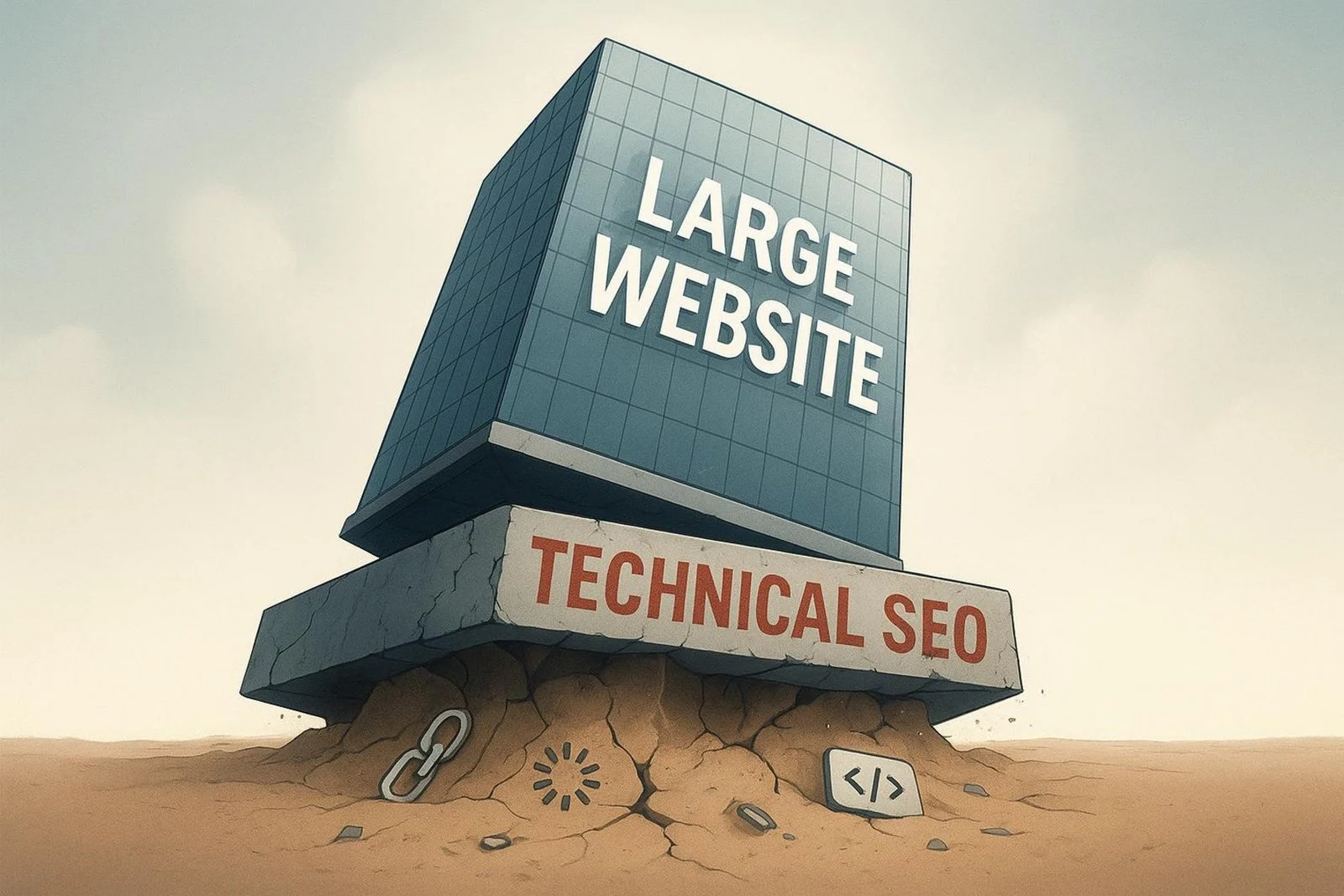
For large websites, technical SEO is the base that everything else sits on. Think of a skyscraper with a weak base – it won’t stand for long. Big sites with thousands or millions of pages and complex systems need a strong technical SEO plan so search engines can crawl, read, and index content well.
Without this groundwork, great content and backlinks won’t reach full impact, and you’ll miss out on visibility, traffic, and revenue. Unlike small sites where a few fixes can move the needle, big sites need a scalable plan, often supported by a dedicated team or specialist international SEO agencies to handle many technical issues across the site.
Algorithms change often, and users expect fast, smooth experiences. Skipping technical SEO on a large site is like building on sand. It’s about tuning every part of the structure and performance so search engines and users can interact without friction. This foundation shapes stability, engagement, and how well your site can adapt as you grow and face new challenges.
What Makes Technical SEO Complex for Large Websites?
What Are the Unique Challenges Faced by Enterprise-Scale Sites?
Very large websites are like digital cities. They bring problems that small sites rarely face. The sheer number of pages means you can’t optimize every page by hand. You need a system-level approach.
Common problems creep in fast, such as:
- Broken links
- Duplicate content
- Slow pages and render issues
- Inconsistent internal linking
Big companies also deal with internal processes. SEO needs cooperation across IT, content, and product. Each group has its own goals, and those can clash with SEO plans. Without clear communication, work gets fragmented. Legacy systems make updates slower and harder, which adds more friction.
How Do Site Size and Infrastructure Impact SEO?
Huge site structures with many categories and deep nesting can confuse both users and crawlers. This can waste crawl budget and hide important pages. Search engines may crawl low-value sections while skipping key content — a pattern often spotted during large-scale audits at NON.agency, especially on enterprise platforms.
Large platforms often face slow load times, server hiccups, and rendering problems, especially with heavy JavaScript. These issues frustrate users and reduce how often Googlebot crawls your site. A fast, scalable setup that handles high traffic, dynamic content, and mobile access across regions is key to steady crawling and indexing.
Core Technical SEO Components for Large Websites
Site Architecture: Structure and Scalability
Clear structure is a core SEO building block for big sites. With huge catalogs, you need a clean hierarchy so users and bots can move through the site easily. Think of a library with a proper catalog – without it, finding anything is hard.
Good architecture includes:
- A clear hierarchy (Homepage → Category → Subcategory → Page)
- Logical internal linking
- Consistent, readable URLs
- Low click depth for important pages
A flatter structure often works better at scale because it shortens paths to key pages and helps crawlers reach more content.
Crawlability and Indexation for Extensive Web Properties
Big sites must manage crawlability and indexation every day. Crawlers have a limited crawl budget. If bots spend time on low-value pages, important pages may not be crawled or indexed.
Good crawl budget use includes:
- Well-organized XML sitemaps
- Robots.txt rules that block low-value sections
- Canonical tags to handle duplicates
- Regular error checks in Google Search Console
The aim is to help crawlers find and store the right content quickly.
Performance Optimization at Scale
Speed work on large sites is about more than loading fast. It’s about a smooth, responsive experience across a huge set of pages and assets. Many big sites are slow, which hurts rankings and user engagement. Ahrefs reports that only 33% of sites pass Core Web Vitals, showing how much room there is to improve.
Useful steps include:
- Strong caching and HTTP/2 or HTTP/3
- Compressing images and media; using modern formats (WebP/AVIF)
- Minifying and bundling CSS/JS
- CDNs to serve static files from nearby servers
- Mobile-first design and fast mobile pages
Keep watch on Core Web Vitals:
| Metric | What it measures | Good target |
| Largest Contentful Paint (LCP) | Loading speed of main content | ≤ 2.5s |
| First Input Delay (FID) | Time to first interaction | ≤ 100ms |
| Cumulative Layout Shift (CLS) | Visual stability | ≤ 0.1 |
Advanced Strategies for Managing Crawl Budget and Indexing
How Does Crawl Budget Affect Site Performance?
Crawl budget is the number of pages Googlebot crawls on your site over a period. On very large sites, poor crawl budget use means important pages get missed, which reduces visibility and traffic.
Google bases crawl limits on site speed, server health, URL popularity, and update frequency. Faster, reliable sites get crawled more. Slow sites with errors get crawled less. Improving tech health helps bots focus on your best content.
Optimizing Robots.txt and Meta Robots Tags
Robots.txt tells crawlers which parts of your site to crawl or skip. On big sites, it helps keep bots away from low-value areas like internal search results, admin paths, or old archives.
User-agent: *
Disallow: /search/
Disallow: /admin/
Meta robots tags control behavior at the page level. For example, <meta name=”robots” content=”noindex, follow”> keeps a page out of the index but still passes link value. This is handy for pagination or filtered views you don’t want in results. Use these tags carefully and test with URL Inspection in Google Search Console to avoid blocking important pages by mistake.
Advanced Sitemap and Pagination Handling
On large sites, XML sitemaps become a smart way to guide crawling. Break sitemaps by section (e.g., products, categories, blog) and include lastmod dates. Update and resubmit them often so search engines pick up changes fast.
<?xml version=”1.0″ encoding=”UTF-8″?>
<sitemapindex xmlns=”http://www.sitemaps.org/schemas/sitemap/0.9″>
<sitemap>
<loc>https://www.example.com/sitemap_products.xml</loc>
<lastmod>2024-01-01</lastmod>
</sitemap>
<sitemap>
<loc>https://www.example.com/sitemap_categories.xml</loc>
<lastmod>2024-01-01</lastmod>
</sitemap>
</sitemapindex>
For pagination, Google recommends self-canonicalization. Each paginated page should point to itself (e.g., page-2 canonical to page-2). Allow indexing of paginated pages instead of using noindex, and track index coverage in Search Console to catch dropped pages.
<link rel=”canonical” href=”https://www.example.com/category?page=2″ />
Leveraging Log File Analysis for Insight
Server logs show exactly how bots move through your site. They reveal which pages get crawled often, which get ignored, and where bots waste time on low-value URLs.
From logs, you can spot:
- Over-crawling of filters/facets or thin pages
- Key pages that never get crawled
- Redirect chains and loops
Use these findings to refine robots.txt, internal links, and canonicals. Tools like Screaming Frog’s SEO Log File Analyser turn raw logs into clear insights that help you protect crawl budget and lift visibility.
Optimizing JavaScript and Dynamic Content for SEO
How Do JavaScript Frameworks Impact Large-Scale SEO?
Frameworks like React and Vue power fast, dynamic apps, but they can slow crawling. Many pages don’t ship full content in the first HTML and need JS to render. Google can render JS, but it takes more time and resources, which hurts large sites with tight crawl budgets.
Common problems include:
- Slow JS rendering, delaying indexing
- Links hidden behind JS events
- Heavy, unminified bundles
- Lazy loading that bots don’t trigger
If Googlebot can’t render your content, that content won’t rank, no matter how good it is.
Prerendering and Dynamic Rendering Solutions
Prerendering creates static HTML for JS-heavy pages ahead of time. Bots get fully rendered HTML, while users still get an interactive app. This helps bots see all key content without running JS.
Dynamic rendering detects crawlers and serves a server-rendered or prerendered version to them, while users get the client-side version. Tools like Prerender.io can speed up indexing and help big e-commerce and media sites cut render delays for crawlers, improve crawl budget use, and grow organic traffic.
Mitigating Duplicate Content and Canonicalization Issues
Canonical Tags and URL Parameter Management
Duplicate content spreads ranking signals across many URLs and leads pages to compete with each other. On large sites with faceted navigation, tracking parameters, and product variants, duplicates can explode.
Canonical tags (rel=”canonical”) point search engines to the preferred URL. This merges signals and keeps link value with the main page. Also manage parameters that create duplicates (session IDs, filters). Use canonicals, block bad parameters in robots.txt, or set parameter rules in Google Search Console to reduce index bloat and save crawl budget.
<link rel=”canonical” href=”https://example.com/preferred-page-url” />
Dealing With CMS-Driven Variations
CMS platforms can create many URLs for the same item (e.g., by ID, by category, or printer-friendly views). Mixed internal linking can make it worse.
To fix this, run a full CMS audit to see how it creates URLs. Then:
- Set canonical rules at the CMS level
- Use self-referencing canonicals for the main version
- Keep URL patterns clean and consistent
- Leave alternates (like print versions) live if needed, but canonical them to the main page
Implementing Structured Data and Schema Markup at Scale
Identifying Opportunities for Enhanced Search Appearance
Structured data (schema markup) helps search engines understand your content and can lead to rich results like ratings, prices, and event dates. These stand out and can lift click-through rates.
Good fits by site type:
- E-commerce: Product, Offer, AggregateRating for prices, stock, and reviews
- News and blogs: Article/NewsArticle for dates and authors
- Local businesses: LocalBusiness for hours, payment types, and service areas
Map each content type to the right schema.org types and apply markup consistently across all sections.
<script type=”application/ld+json”>
{
“@context”: “https://schema.org”,
“@type”: “Product”,
“name”: “Super Widget”,
“description”: “The best widget for all your widgeting needs.”,
“sku”: “12345”,
“brand”: {
“@type”: “Brand”,
“name”: “WidgetCorp”
},
“aggregateRating”: {
“@type”: “AggregateRating”,
“ratingValue”: “4.5”,
“reviewCount”: “150”
},
“offers”: {
“@type”: “Offer”,
“priceCurrency”: “USD”,
“price”: “29.99”,
“availability”: “https://schema.org/InStock”
}
}
</script>
Common Mistakes in Large-Scale Structured Data
Frequent errors include:
- Mixing formats (JSON-LD, Microdata, RDFa) on the same page
- Marking up content that users can’t see
- Missing required fields (e.g., SKU, brand, or ratings for Product)
- Skipping validation and QA
Standardize on JSON-LD, only mark up visible content, and validate with Google’s Rich Results Test and the Schema Markup Validator.
International and Multilingual SEO for Large Websites
Effective Hreflang Implementation
Global sites need correct hreflang tags so users see the right language and regional version. Hreflang tells search engines which version to serve based on language and location.
Best practices:
- Use correct ISO codes (e.g., en-gb, fr-ca)
- Make each version reference all other versions (bidirectional)
- Add x-default for a general fallback
- Use absolute URLs
- Audit with Search Console’s International Targeting report
<link rel=”alternate” hreflang=”en-gb” href=”https://www.example.co.uk/page.html” />
<link rel=”alternate” hreflang=”fr-ca” href=”https://ca.example.com/fr/page.html” />
<link rel=”alternate” hreflang=”x-default” href=”https://www.example.com/page.html” />
Managing Regional Variations and Language Parity
Localization goes beyond translation. Adjust content for local currency, pricing, shipping, availability, and phrasing (e.g., US vs. UK English). Keep parity: each language version should offer the same key content and features, and be crawlable and indexable.
Choose a structure that fits your setup (ccTLDs, subdomains, or subfolders), apply hreflang, and keep testing for gaps across devices and regions.
Site Migrations and Major Infrastructure Changes: Risks and Best Practices
How to Prevent SEO Disasters During Migrations?
Migrations (domain moves, HTTPS, CMS changes, or structural rebuilds) carry a high risk on large sites. Mistakes can cause big drops in rankings and traffic. Careful planning and testing reduce that risk.
Key steps:
- Run a full pre-migration audit (rankings, traffic, conversions, full URL inventory)
- Build detailed URL maps (old → new)
- Set 301 redirects to preserve link value
- Block indexing of staging environments
- Carry over metadata, canonicals, and robots rules
- Test speed, mobile, and crawlability before launch
User-agent: *
Disallow: /
Preserving Rankings and Authority Post-Migration
After launch, watch everything closely. Update and resubmit XML sitemaps in Search Console. Track crawl errors, index coverage, and 404s in the Page Indexing and Crawl Stats reports.
Keep an eye on rankings, organic traffic, and conversions in GA4. Re-check internal links to point to the new URLs. Update external links where possible, plus local listings and social profiles. Run parity checks across desktop and mobile to confirm that search engines and users see the same content. Fix issues quickly to help Google re-evaluate and trust the new setup.
Technical SEO Tools and Automation for Enterprise Websites
Platform Selection for Ongoing Audits
Manual audits do not scale well on massive sites. Pick platforms that can crawl millions of URLs and fit your workflows. Enterprise tools like SEMrush, Ahrefs, and Search Atlas offer deep site audits for broken links, duplicates, speed, and more, along with keyword, backlink, and competitor tracking.
Specialized tools also matter. Use Google Search Console for index coverage and performance, Lighthouse for speed and accessibility checks, and log analysis tools like Screaming Frog’s SEO Log File Analyser for bot behavior. Choose a set of tools that automate routine checks and handle large data.
Automation in Monitoring and Reporting
Automation helps teams catch issues fast. Set scheduled crawls and alerts for broken links, redirect chains, server errors, and changes to robots rules or meta robots. Send alerts to the right teams so fixes happen quickly.
Automated reporting turns data into clear dashboards. Track crawl budget use, Core Web Vitals, index rates, and page speed. Platforms like Search Atlas OTTO SEO can automate fixes such as title and meta updates, internal linking, and schema rollout, freeing time for strategy and analysis.
Integrating SEO Tools with Development Workflows
SEO should be part of the development lifecycle. Work with engineering so SEO checks happen before changes go live. Integrations make this easier.
Ideas that help:
- Use APIs to send SEO data into internal dashboards or ticketing systems
- Add pre-deploy SEO checks to catch noindex tags or bad redirects
- Version-control robots.txt and sitemaps
- Automate Core Web Vitals and mobile tests on staging
This keeps teams aligned and reduces conflicts between SEO and product goals.
Performance Measurement and Demonstrating ROI in Technical SEO
Key Technical SEO KPIs for Large Sites
On large sites, focus on KPIs that show how well search engines can find and process content. Key metrics include:
- Crawl budget use on high-value pages
- Indexation rate of target URLs
- Core Web Vitals (LCP, FID, CLS)
- 4xx/5xx error counts
- Broken links (internal and external)
- Duplicate content and canonical issues
- Structured data validation errors
Track these over time to spot bottlenecks and measure gains from fixes.
Linking SEO Metrics With Business Revenue
Leaders want to see how technical SEO supports revenue. Tie improvements to outcomes. Faster sites tend to lower bounce rates and boost conversions. Better architecture can bring more product pages into the index and raise sales.
Use clear attribution models to connect organic traffic and conversions to technical projects. Set up analytics with solid conversion tracking and report how specific fixes (e.g., speed gains or sitemap cleanups) led to more revenue, leads, or visibility.
Continuous Monitoring and Adaptation for Algorithm Updates
Search updates roll out often. Large sites need ongoing checks and fast response. Keep up with search engine announcements and industry news.
Automated audits help catch issues early. Smart monitors (like those in Search Atlas) can flag technical, security, and performance changes in real time. Adjust your roadmap based on what updates reward – for example, if user experience gets more weight, push Core Web Vitals work higher on the list. Staying ready keeps rankings steady and growth on track in a fast-changing search space.
Future Trends Shaping Enterprise Technical SEO
AI and Machine Learning Opportunities
AI and machine learning are reshaping technical SEO. These tools process massive data sets, spot patterns, predict behavior, and guide fixes at scale. For big sites, that means faster detection of problems, smarter prioritization, and quicker rollouts.
Search engines use ML to read intent and context better, so content must match both user needs and quality signals. AI can help with keyword research, content workflows, and live performance tracking. Platforms like Search Atlas OTTO SEO are adding automation for redirects, internal linking, and schema rollouts, making technical SEO faster and more scalable.
Impact of Visual, Voice, and Video Search
Visual, voice, and video search are mainstream, and large sites should adapt. For visual search, go beyond alt text: use clear file names, structured image data, and image sitemaps. Shareable graphics can earn links and authority.
For voice search, write in natural language and answer common questions briefly and clearly. FAQ schema can help win voice results. For video, optimize titles, descriptions, tags, captions, and transcripts. Focus on watch time and session duration on platforms like YouTube. On your site, make videos crawlable, supported with schema, and fast to load. The goal is to keep all formats accessible, easy to process, and aligned with how people search today.
<script type=”application/ld+json”>
{
“@context”: “https://schema.org”,
“@type”: “FAQPage”,
“mainEntity”: [{
“@type”: “Question”,
“name”: “What is the return policy?”,
“acceptedAnswer”: {
“@type”: “Answer”,
“text”: “You can return products within 30 days of purchase.”
}
},{
“@type”: “Question”,
“name”: “How long does shipping take?”,
“acceptedAnswer”: {
“@type”: “Answer”,
}
“text”: “Shipping typically takes 3-5 business days.”
}]
}
</script>